Finalizing the Installation
The last step in the deployment process of the Ansible for OpenShift Virtualization Migration is to trigger a Workflow Job Template that will setup the OpenShift for baseline use. In particular, the following steps will occur:
-
Install Required OpenShift Operators
-
Configure Migration Targets
-
Register the VMware environment as an MTV Provider
-
Configure credentials associated with the VDDK image
-
Set up StorageMap’s and NetworkMap’s
-
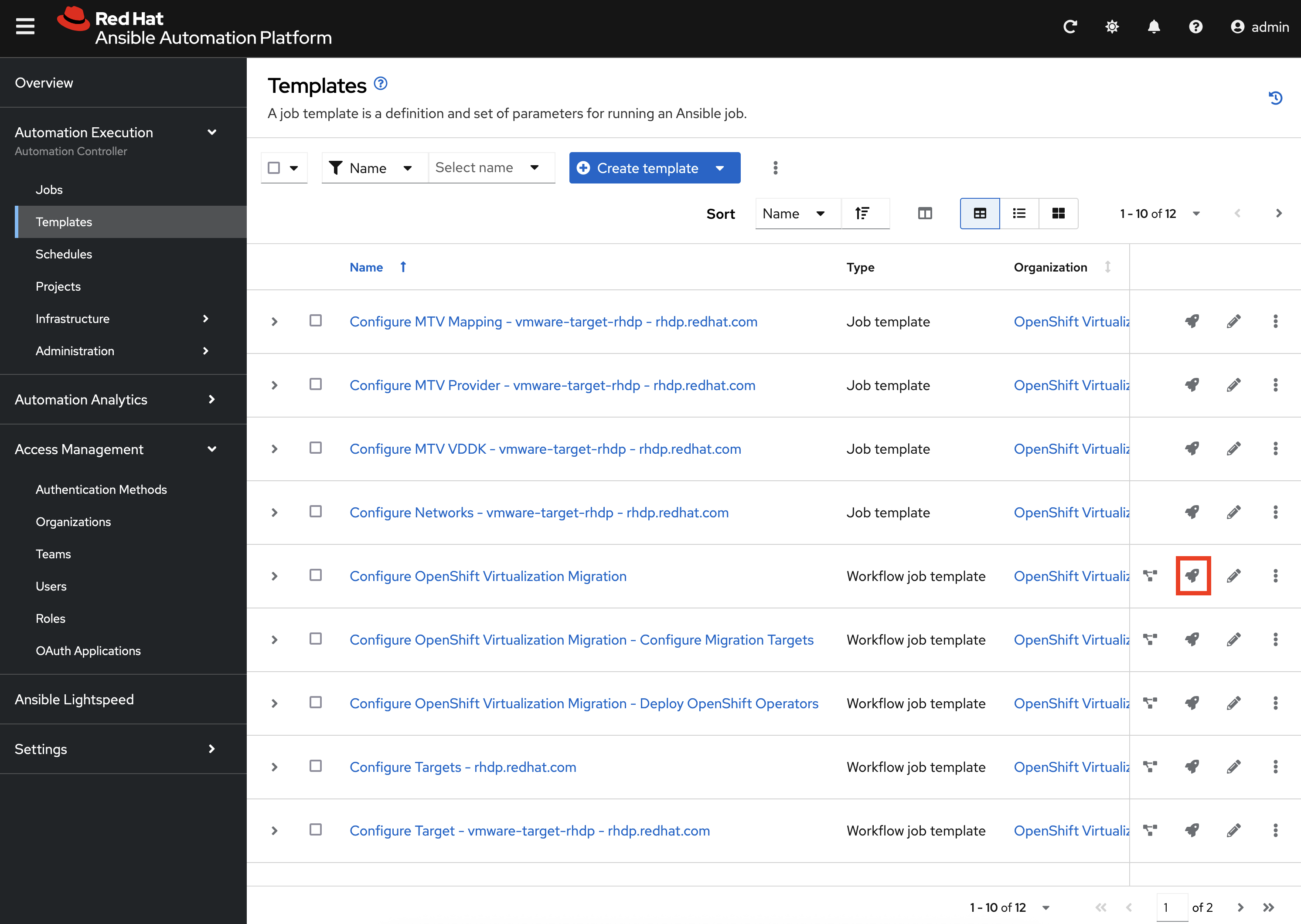
Launch the Workflow Job Template that will configure these steps by selecting Templates under the Automation Execution section on the left hand navigation bar and hitting the Rocket icon next to the Configure OpenShift Virtualization Migration Workflow Job Template.
The output for the Workflow Job will be shown which provides a graphical view of the steps being performed. The progress of each individual Job that was spawned by the Workflow Job Template can be viewed by selecting Jobs under the Automation Execution section on the left hand navigation bar.
Feel free to track the status of each of the Jobs triggered in the Workflow by selecting the Output tab on the associated Job Template.
Once complete, the workflow will appear similar to the following:
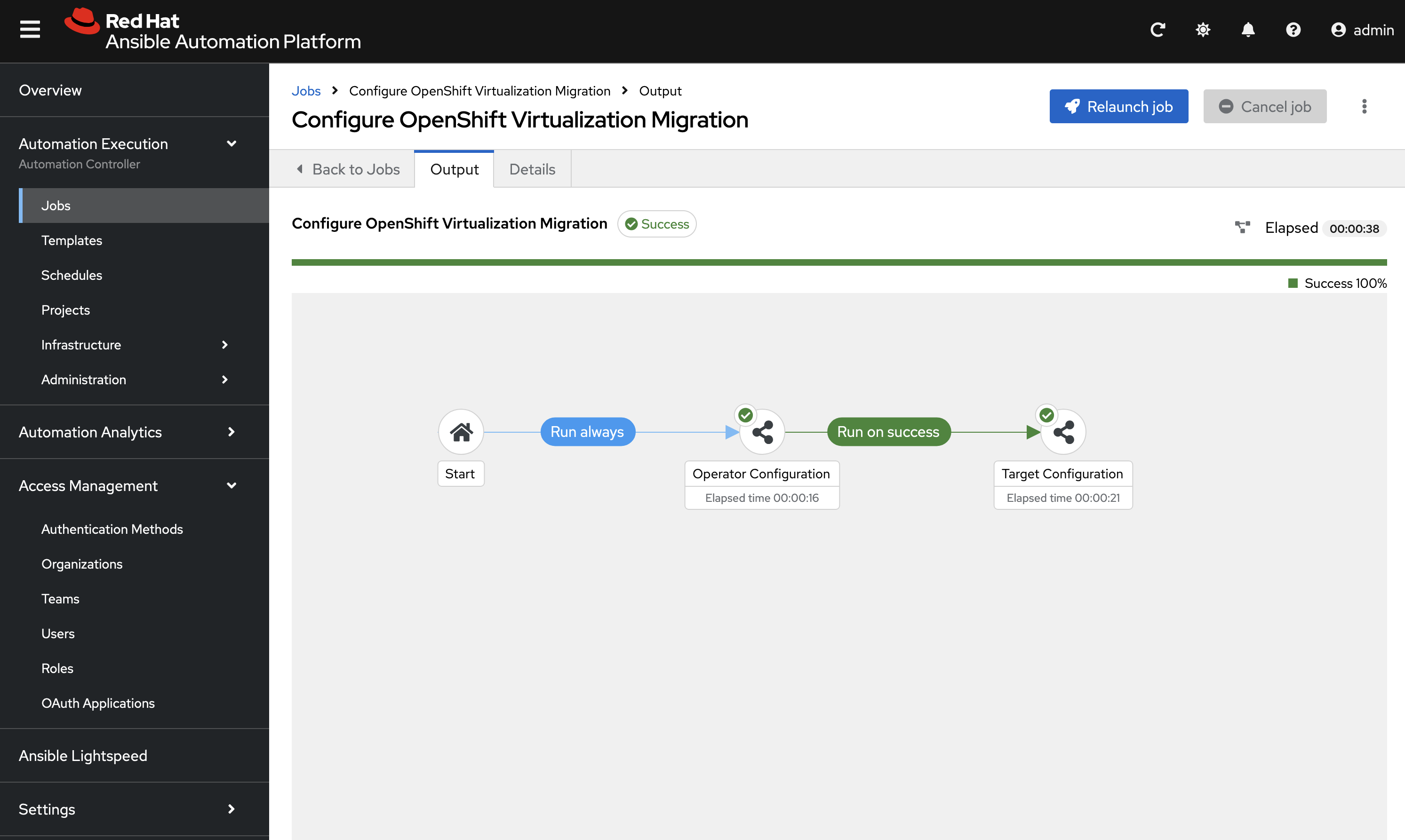
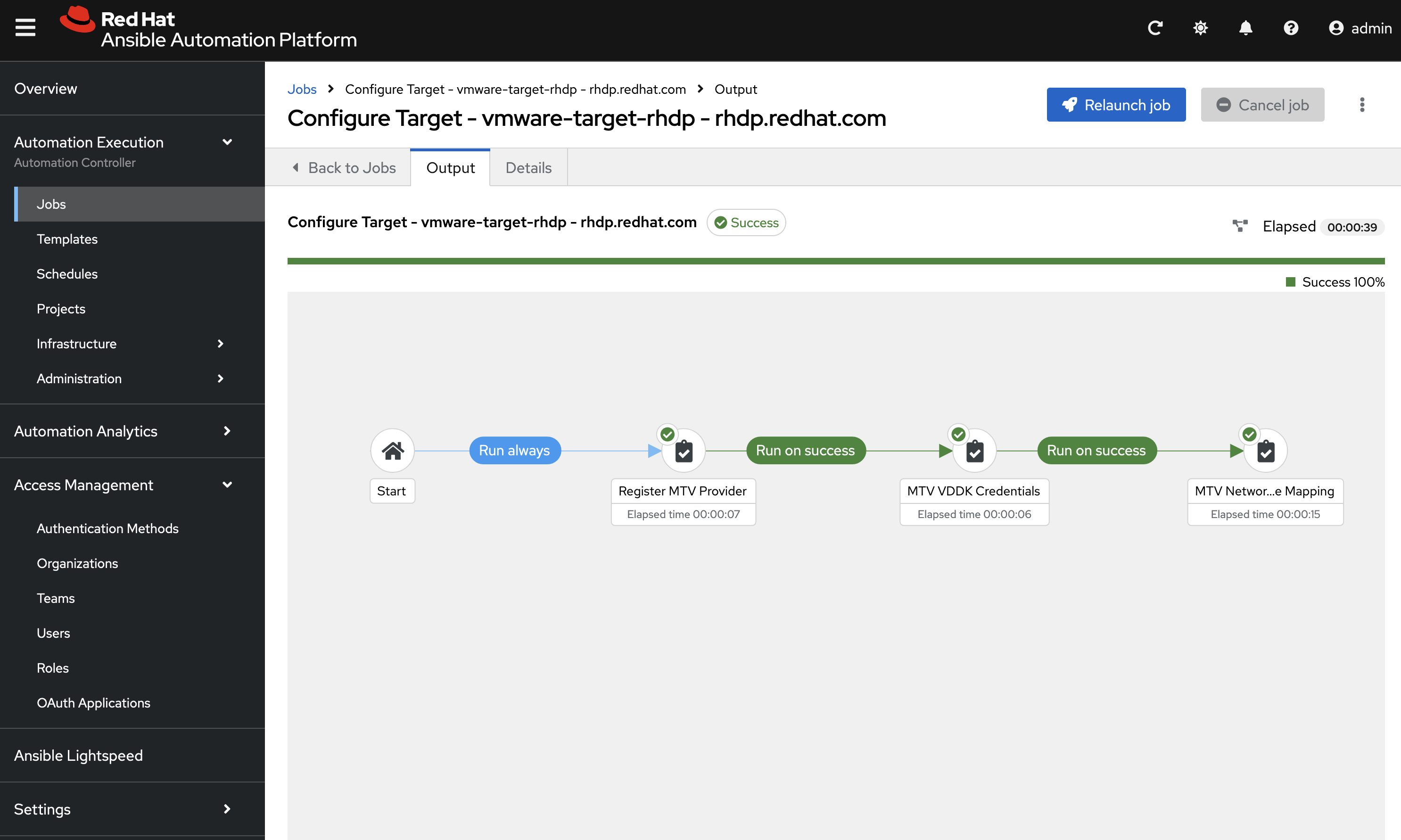
Since no additional operators were installed as configured within the Inventory, this step should complete completely. The remaining task in this workflow is to configure the Migration Target associated with the VMware environment which can be seen by selecting into the Target Configuration node and viewing the result of the Configure Target - vmware-target-rhdp - rhdp.redhat.com_ Workflow:
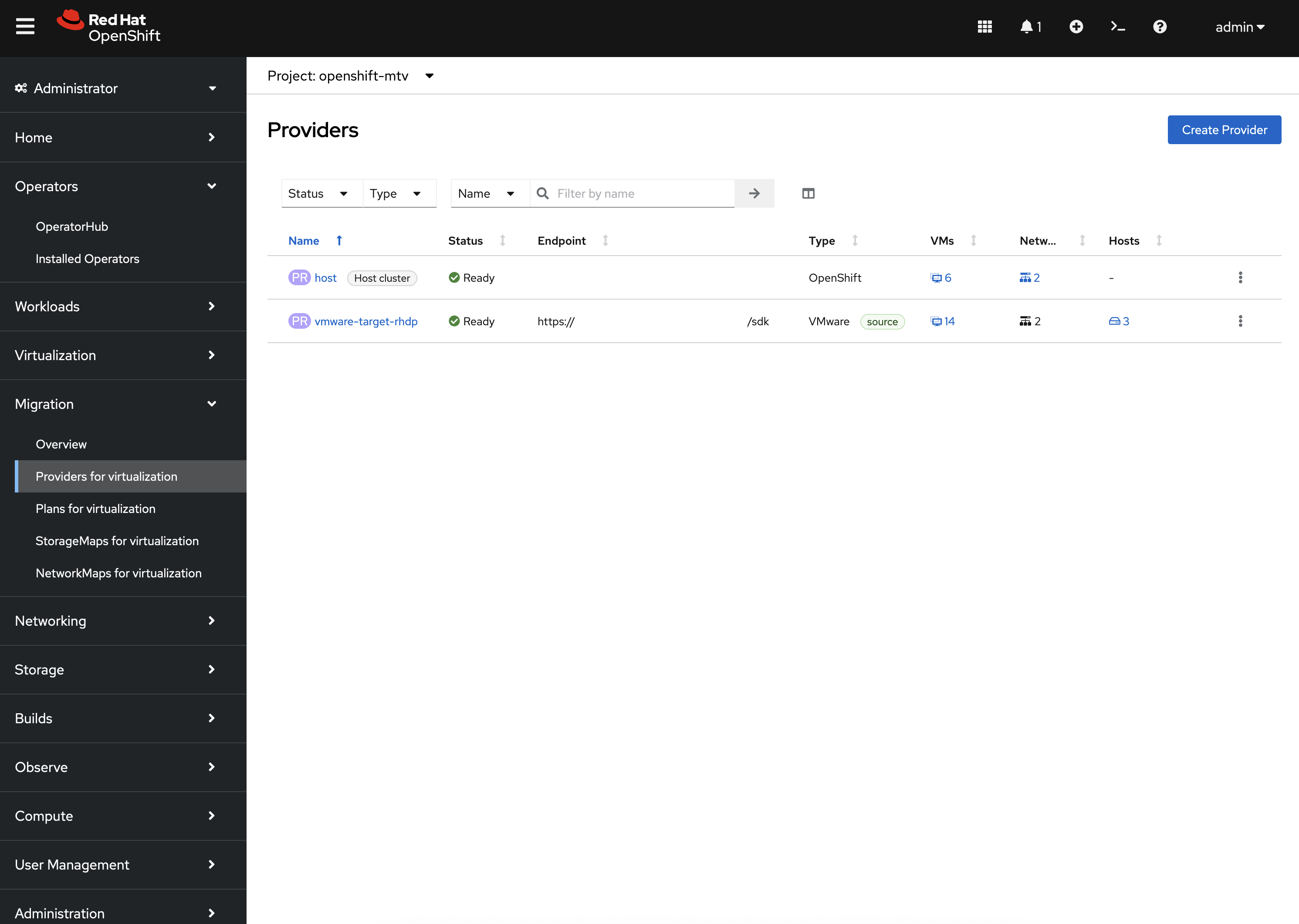
To view the resources that were created in OpenShift, first locate the MTV Provider by Navigating back to the OpenShift Web Console and selecting the Migration dropdown on the left hand navigation Bar, and then Providers for virtualization. A Provider called vmware-target-rhdp was created in the openshift-mtv Namespace to enable a connection with the VMware environment. The connection should be validated which is indicated with a green check mark.
|
The |
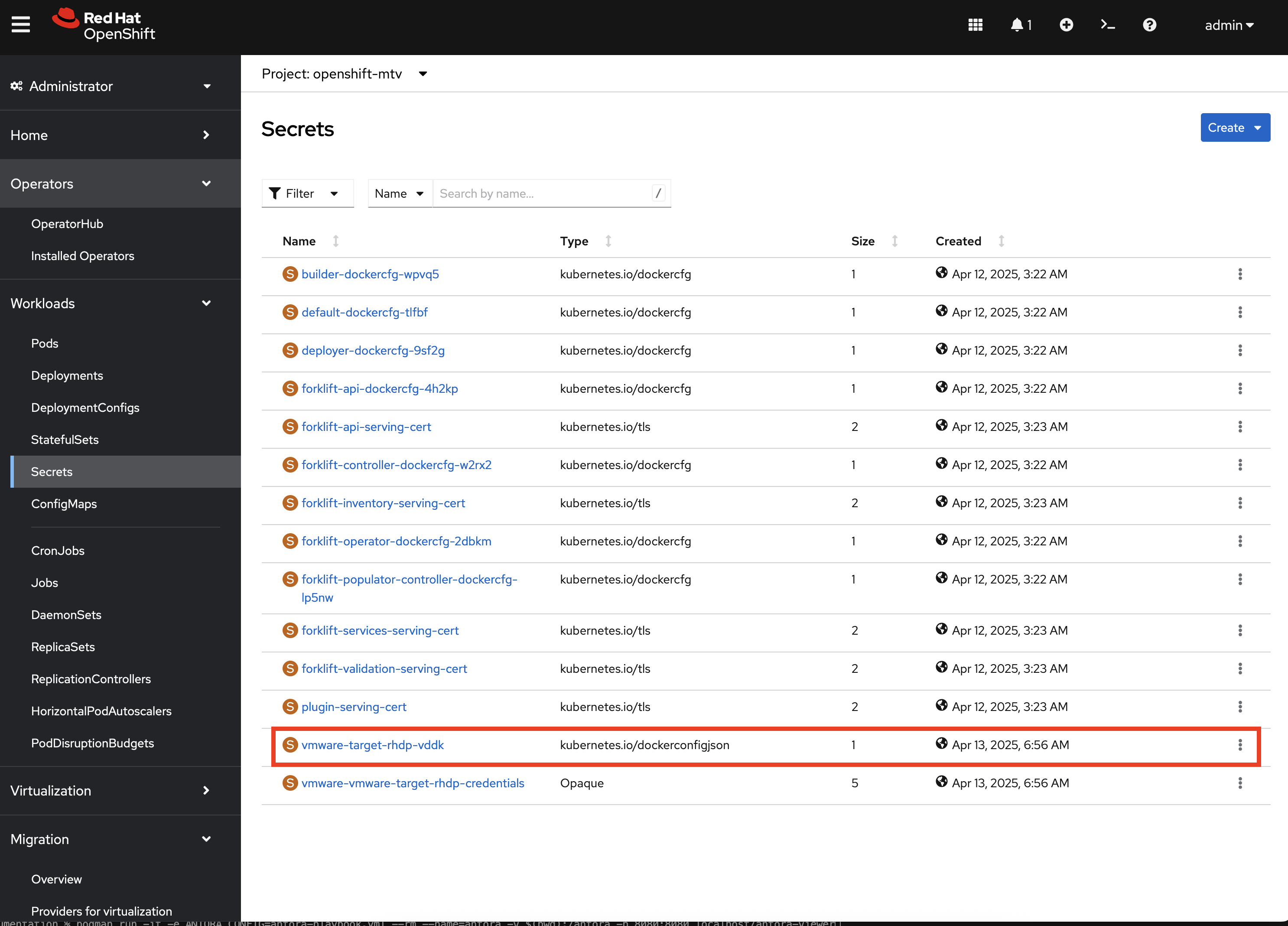
Next, confirm a Secret called vmware-target-rhdp-vddk was created in the openshift-mtv Namespace with credentials to pull the VDDK init image by selecting Secrets underneath the Workloads section of the left hand navigation bar.
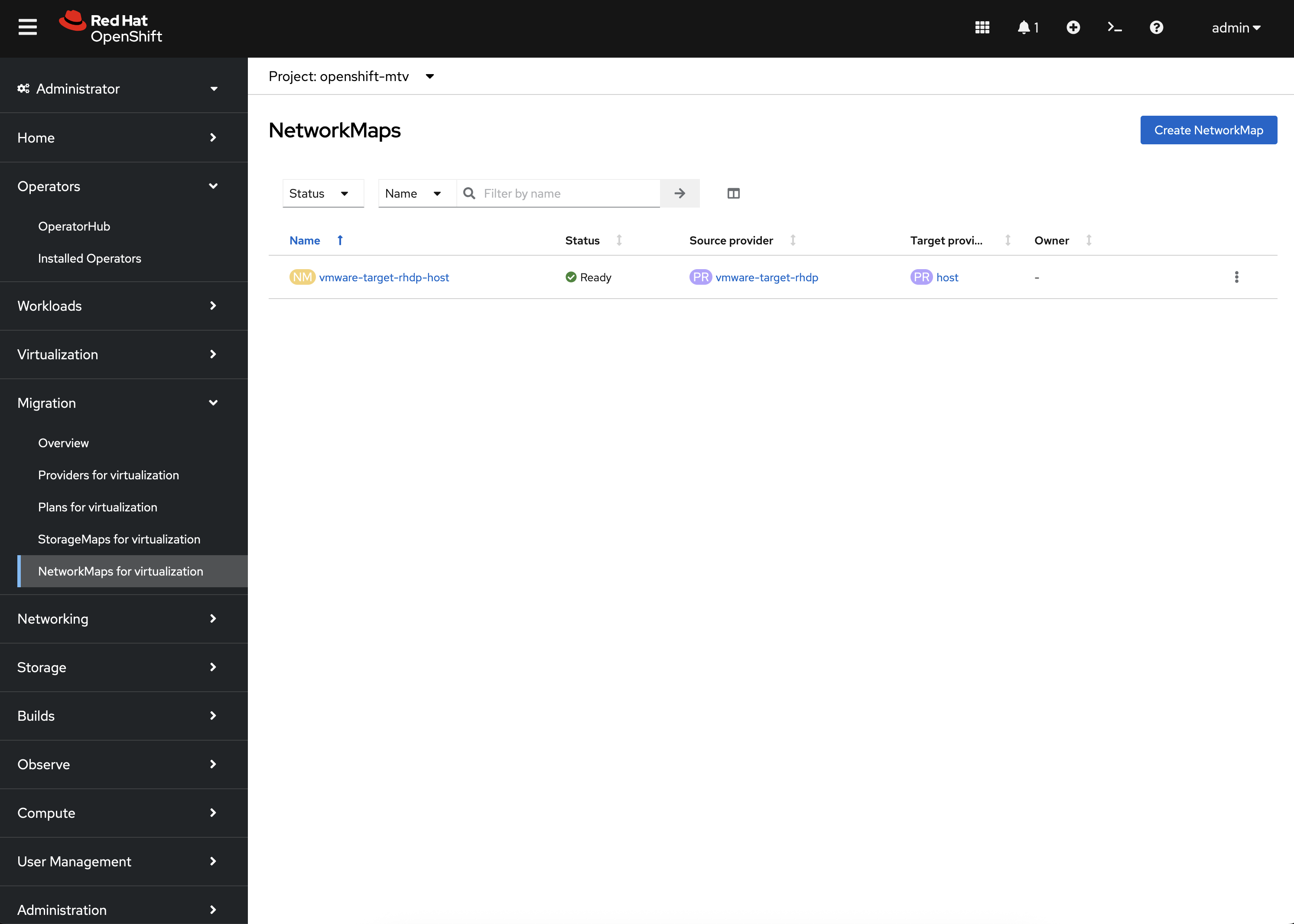
Finally, confirm NetworkMaps and StorageMaps for MTV with the name vmware-target-rhdp-host were created in the openshift-mtv Namespace by selecting either StorageMaps for virtualization or NetworkMaps for virtualization under the Migration section of the left hand navigation bar.
If all of the steps above were validated, the Ansible for OpenShift Virtualization Migration has been installed and configured successfully!