Verify the Provisioning
With the Ansible for OpenShift Virtualization Migration successfully provisioned, explore the Ansible Automation Platform that was deployed to the OpenShift environment. Perform the following steps to confirm Ansible Automation Platform is available within the OpenShift cluster and it has been configured properly.
Launch a web browser and navigate to the OpenShift Web Console. The address of the OpenShift Console is provided within the Info tab of the RHDP Service or by running oc whoami --show-console using the OpenShift CLI
First, review the operators that have been deployed as part of the deployment. select Operators from the left hand navigation bar and select Installed Operators. By default, all of the Operators that have been deployed to the environment will be displayed.
Ansible Automation Platform was deployed in a project called virtualization-migration as it contains the majority of the content related to the Ansible for OpenShift Virtualization Migration. Using the dropdown at the top of the screen which currently displays Project: All Projects, select virtualization-migration to view just the operators associated with the virtualization-migration project.
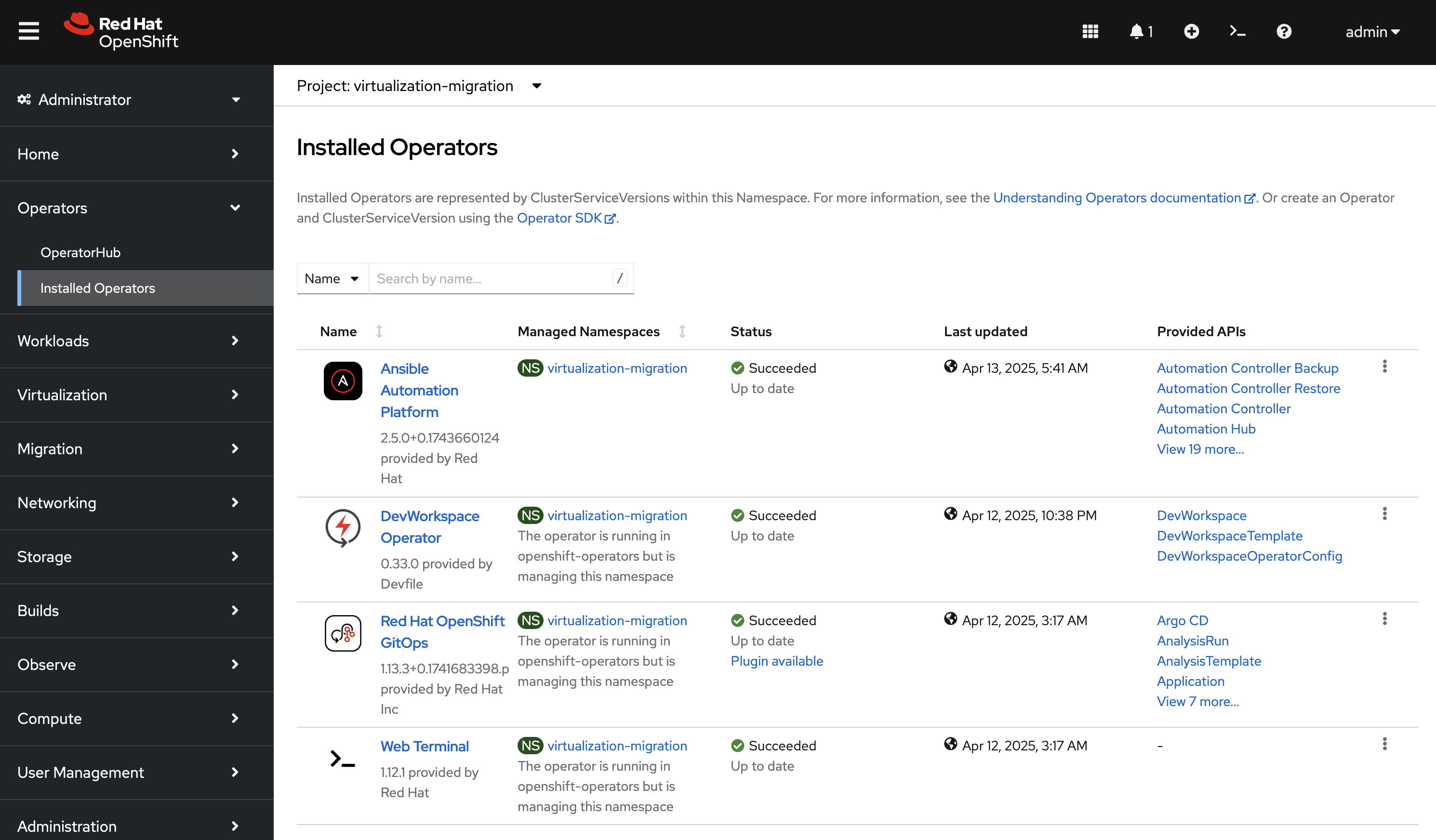
Select the Ansible Automation Platform to view details related to the Operator.
Select the Ansible Automation Platform tab to list all of the Ansible Automation Platform instances in the virtualization-migration Project.
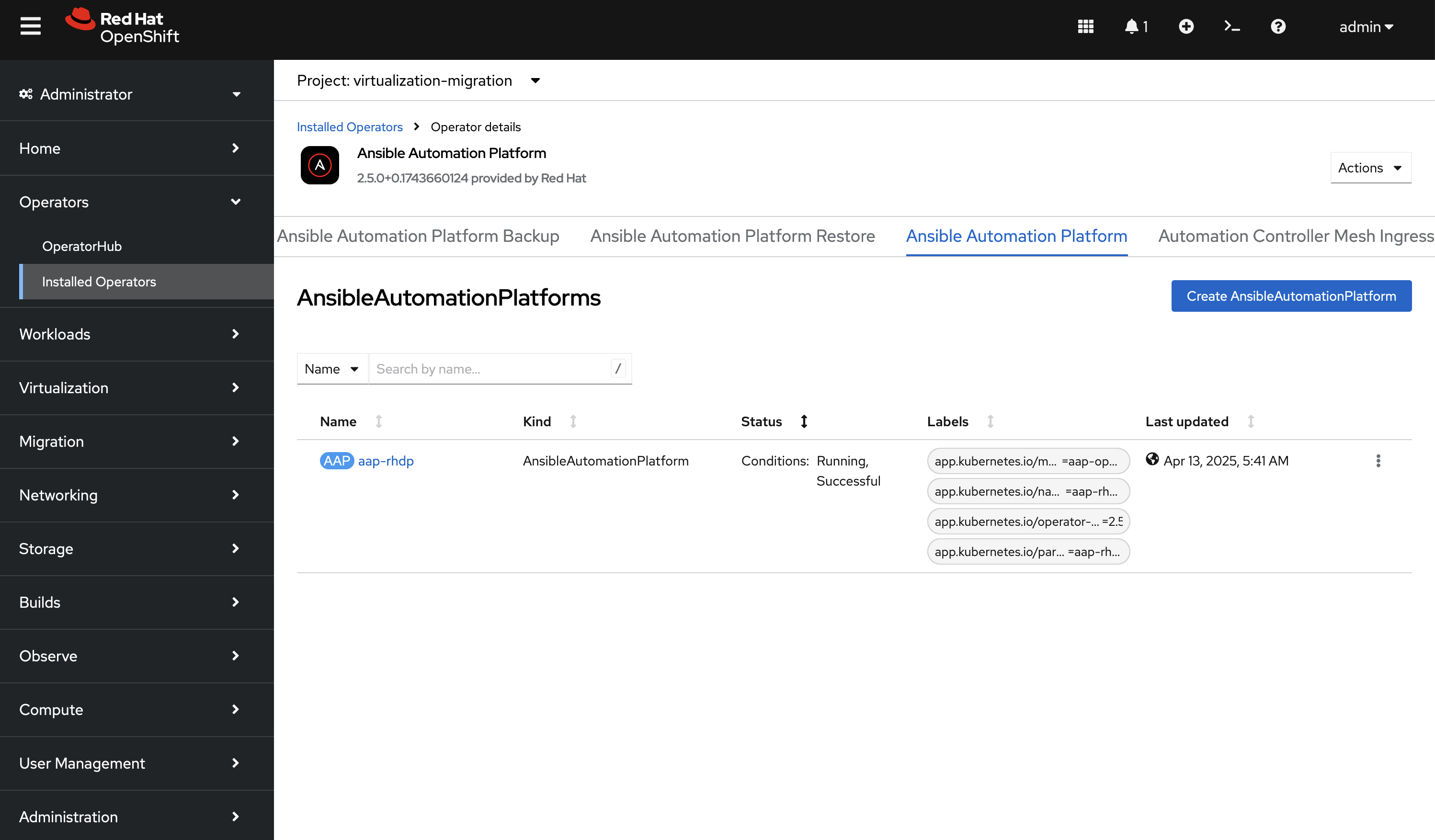
Select the aap-rhdp instance to view details related to the instance that was provisioned.
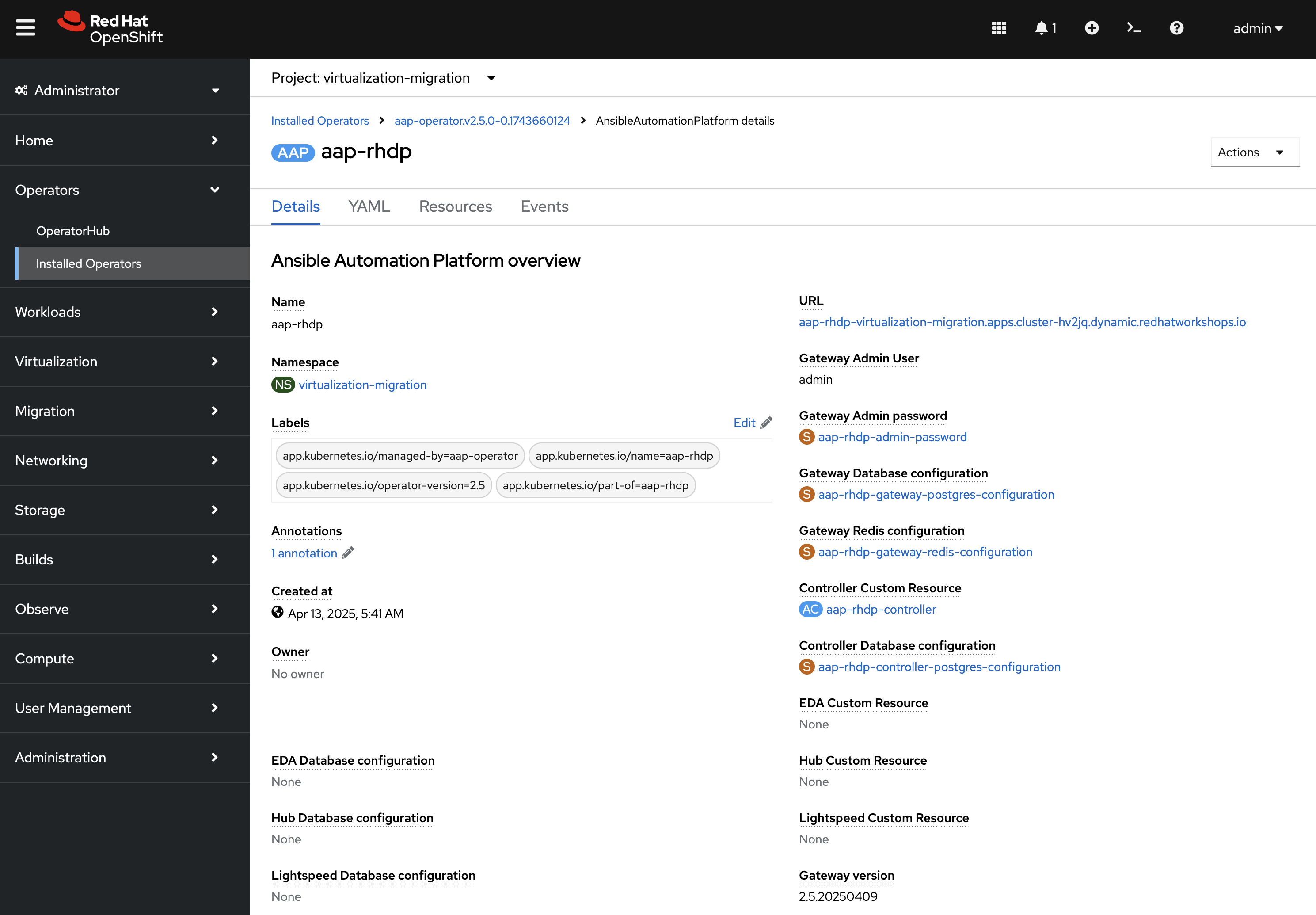
Under Gateway Admin Password, select the aap-rhdp-admin-password Secret which contains the credentials to authenticate to Ansible Automation Platform.
On the aap-rhdp-admin-password Secret page, click the Reveal values link associated with the password property and copy the value so that it can be used to authenticate to Ansible automation Platform.
Go back to the aap-rhdp AnsibleAutomationPlatform instance and navigate to Ansible Automation Platform by selecting the link underneath URL.
Login using admin as the username and paste the password copied using the value obtained from the aap-rhdp-admin-password Secret. An overview of Ansible Automation Platform will be displayed.
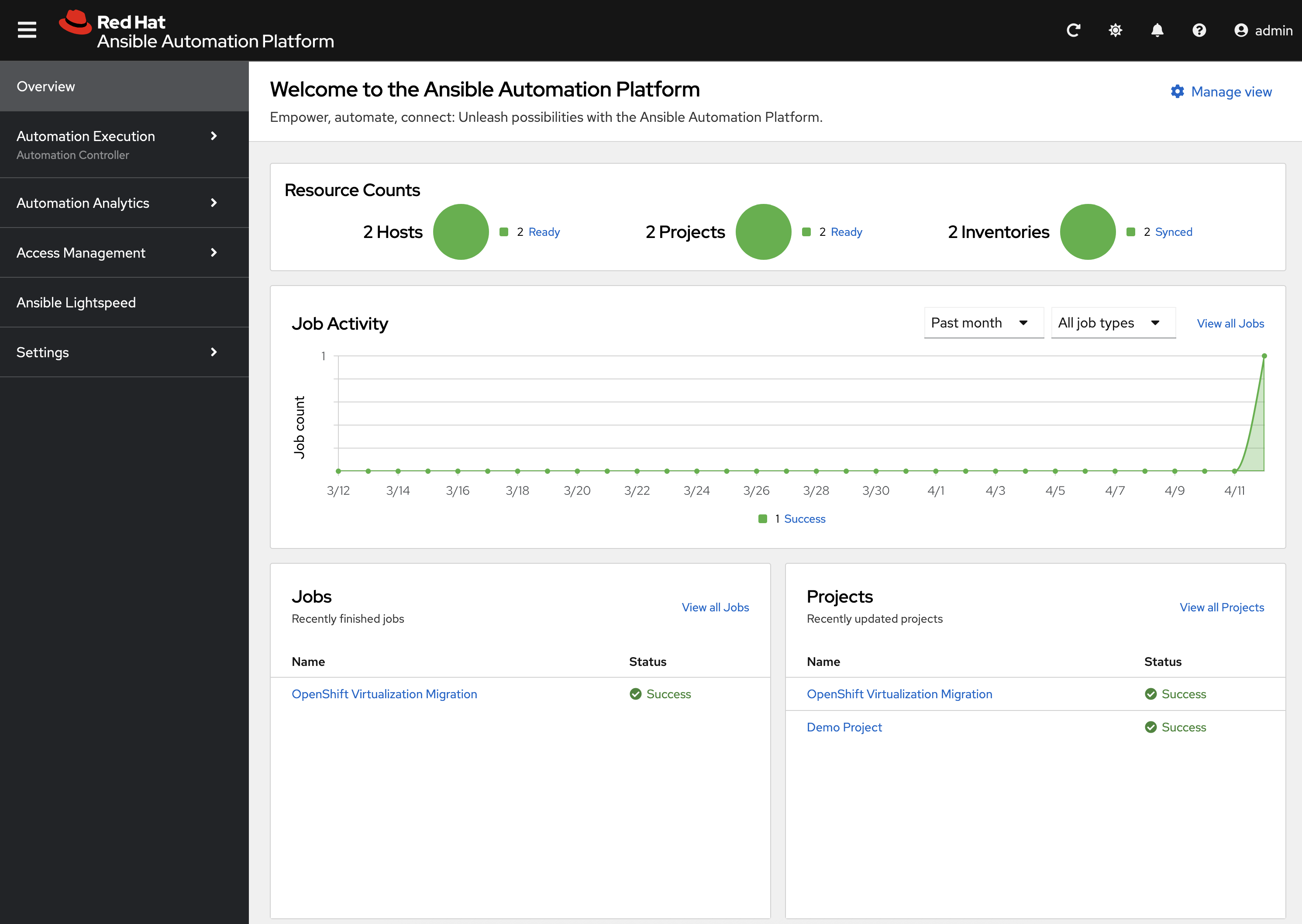
Exploring Ansible Automation Platform
With access to Ansible Automation Platform confirmed, let’s take a moment to explore the Ansible for OpenShift Virtualization Migration related content that was populate within the instance. First, the same Ansible Execution Environment that was used to facilitate the deployment of the Migration has been added and will be used to run Ansible for OpenShift Virtualization Migration related automation within the platform. This can be verified by expanding the Automation Execution section on the left hand navigation bar, expand Infrastructure, and then select Execution Environments. OpenShift Virtualization Migration is the name of the Execution Environment that was added to the platform.
Next, an Organization called OpenShift Virtualization Migration was created to contain all of the resources related to the Ansible for OpenShift Virtualization Migration. This can be seen by expanding the Access Management section on the left hand navigation bar and selecting Organizations. The credentials associated with Red Hat Automation Hub token provided earlier were added to the Organization so that any certified and validated content that is needed can be retrieved.
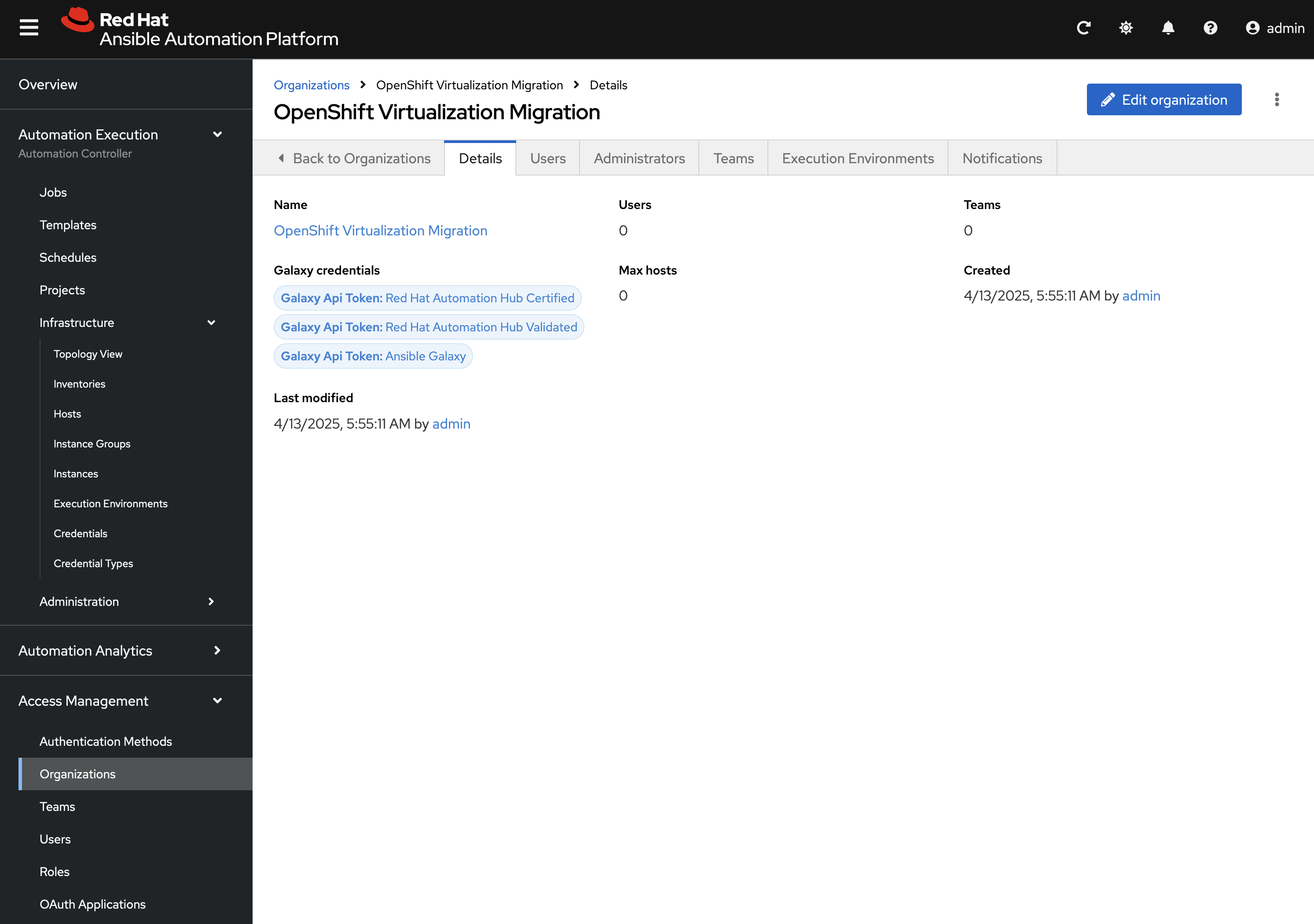
In addition to the Credential associated with Red Hat Automation Hub, a set of other credentials were populated and can be seen by expanding the Automation Execution section on the left hand navigation bar, expand Infrastructure, and selecting Credentials. Some of these credentials makes use of custom Credential Types which can be seen by selecting Credential Types right below Credentials on the left hand navigation bar.
The primary set of content (playbooks) responsible for execution is source from the aforementioned GitLab instance and is brought into Ansible Controller as a Project called OpenShift Virtualization Migration. This can be seen by selecting Projects under the Automation Execution section on the left hand navigation bar.
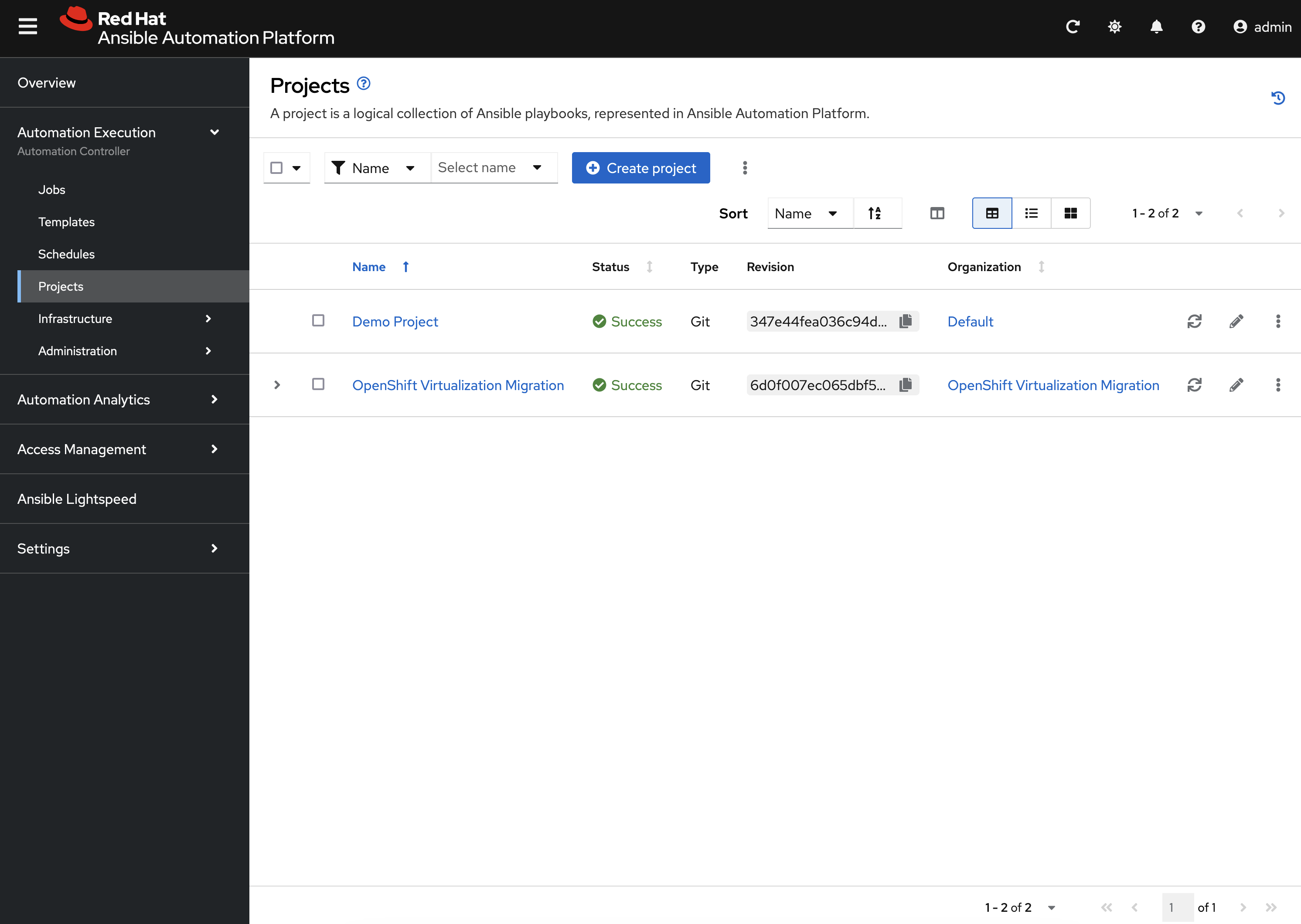
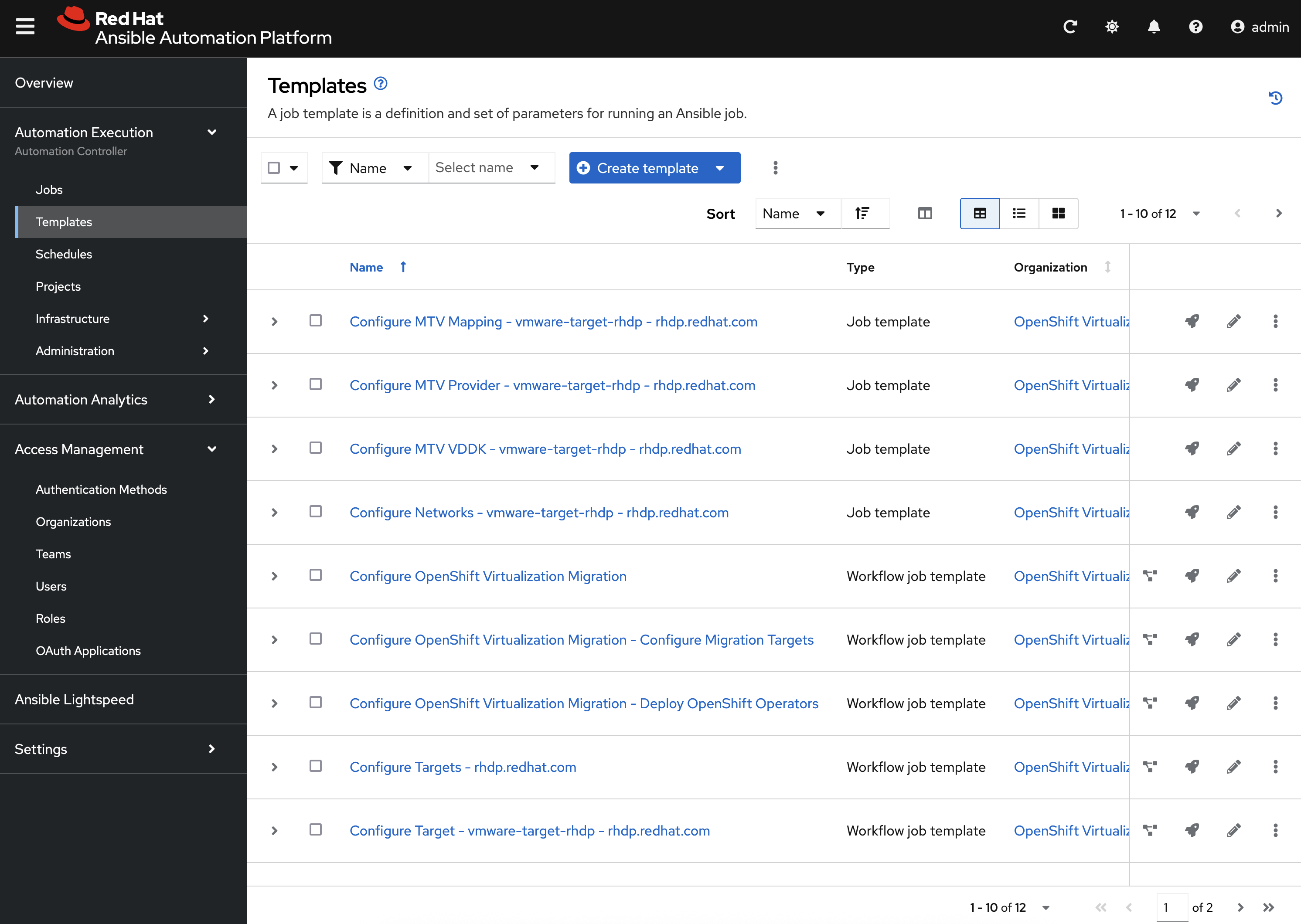
Finally, view all of the Job Templates and Workflow Job Templates by selecting Templates under the Automation Execution section on the left hand navigation bar. We will be leveraging these resources in the upcoming section to support automating the migration of Virtual Machines into OpenShift.