Archiving the plan
Mark a finished migration plan archived in MTV so its logs and history go away and it cannot be started again. Close the wave first (Closing the migration wave). Do not archive a plan you still need to restart or debug.
When you are done, the plan is archived. The migrated VMs stay in target_namespace.
There is no archive playbook. Archive is an MTV action on the Plan CR that mtv_plans created. Use the OpenShift web console.
What archive does
Archive Plan removes the plan’s logs, history, and migration metadata. After that you can view the plan, duplicate it, or delete it. You cannot edit it or start it again. Archive is irreversible. Duplicate the plan if you need the same VMs and maps as a new run.
Archiving does not delete:
-
Migrated VirtualMachines
-
StorageMaps or NetworkMaps from Configure storage and network maps
-
Providers from Configure providers
Delete Plan is a different action. It permanently removes the Plan CR. You cannot delete a running plan. MTV does not clean temporary importer or conversion resources on delete unless you archive first. Archive, then delete, if you want that cleanup.
Maps created by mtv_maps can belong to more than one plan. Deleting an archived plan does not remove those maps.
Prerequisites
-
The plan is Succeeded (or you have accepted Failed / Canceled and do not need the logs).
-
You are in the project where Plan CRs live (
migration_namespace, defaultopenshift-mtv).
Do not archive while the plan is Running, or before cutover on a warm plan.
Archive in the console
-
In the OpenShift web console: Migration → Plans for virtualization.
-
Select the project for the plans.
-
Open the options menu beside the plan.
-
Choose Archive Plan and confirm.
The plan shows as archived. If you used split_plans, archive each Plan CR in the wave.
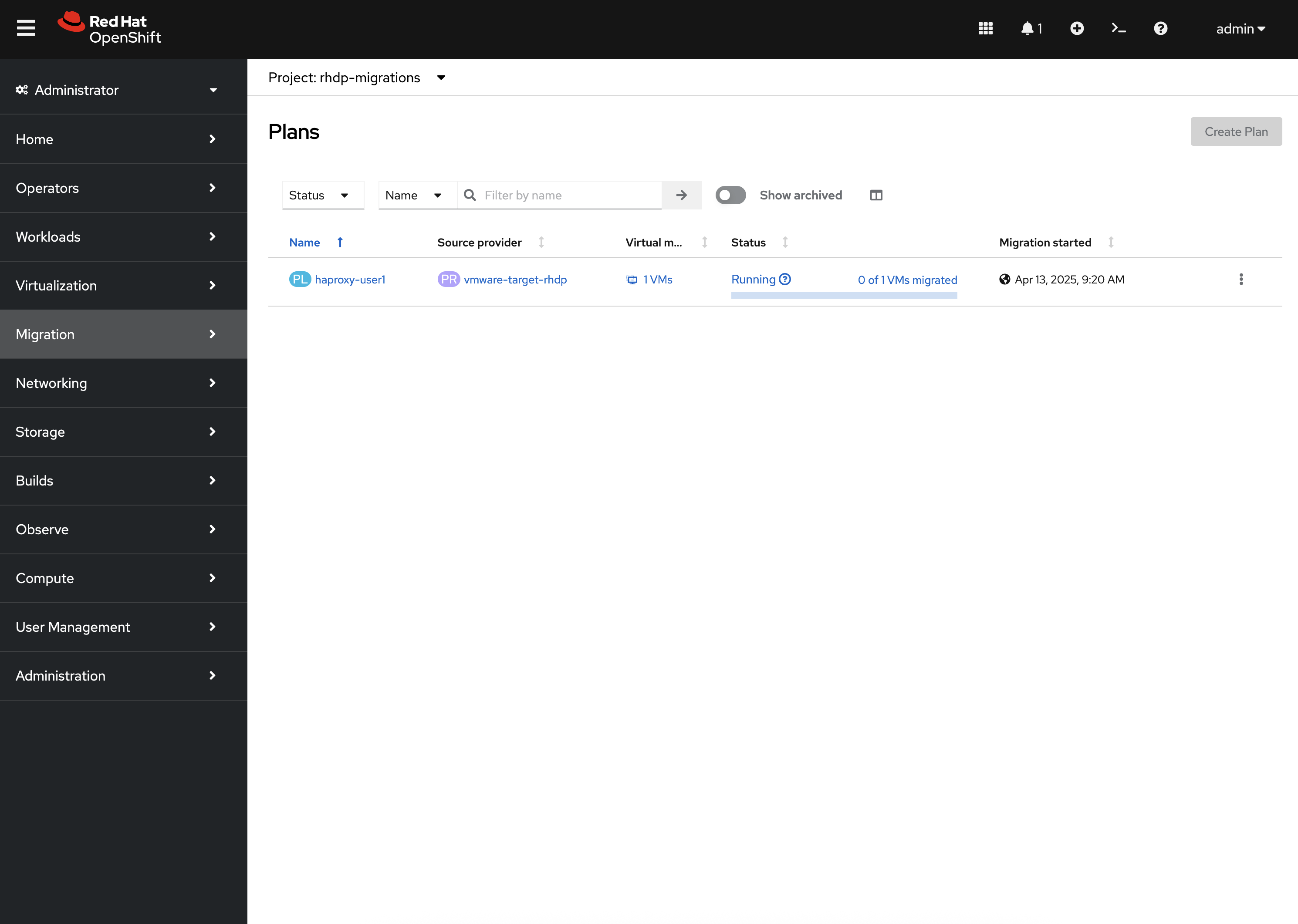
|
If the project does not appear, select Show default projects so names that start with |
To run a similar wave later: options menu → Duplicate Plan, then treat the copy as a new plan (Migrating VMs). Do not expect the archived plan to start again.
To remove the Plan CR after archive: options menu → Delete Plan. Only do this when you do not need the record. VMs are unchanged.
MTV plan options: Migration Toolkit for Virtualization documentation.
If archive is unavailable
-
Archive Plan missing or disabled — the plan is still running, or you lack permission.
-
You still need logs — wait; archive deletes them.
-
You meant to remove VMs — archive does not do that; delete or stop VirtualMachines in
target_namespaceseparately. -
You need the same wave again — Duplicate Plan, not un-archive.