Migrating VMs
Start the Plan custom resources from Defining a migration wave so MTV copies the VMs to OpenShift.
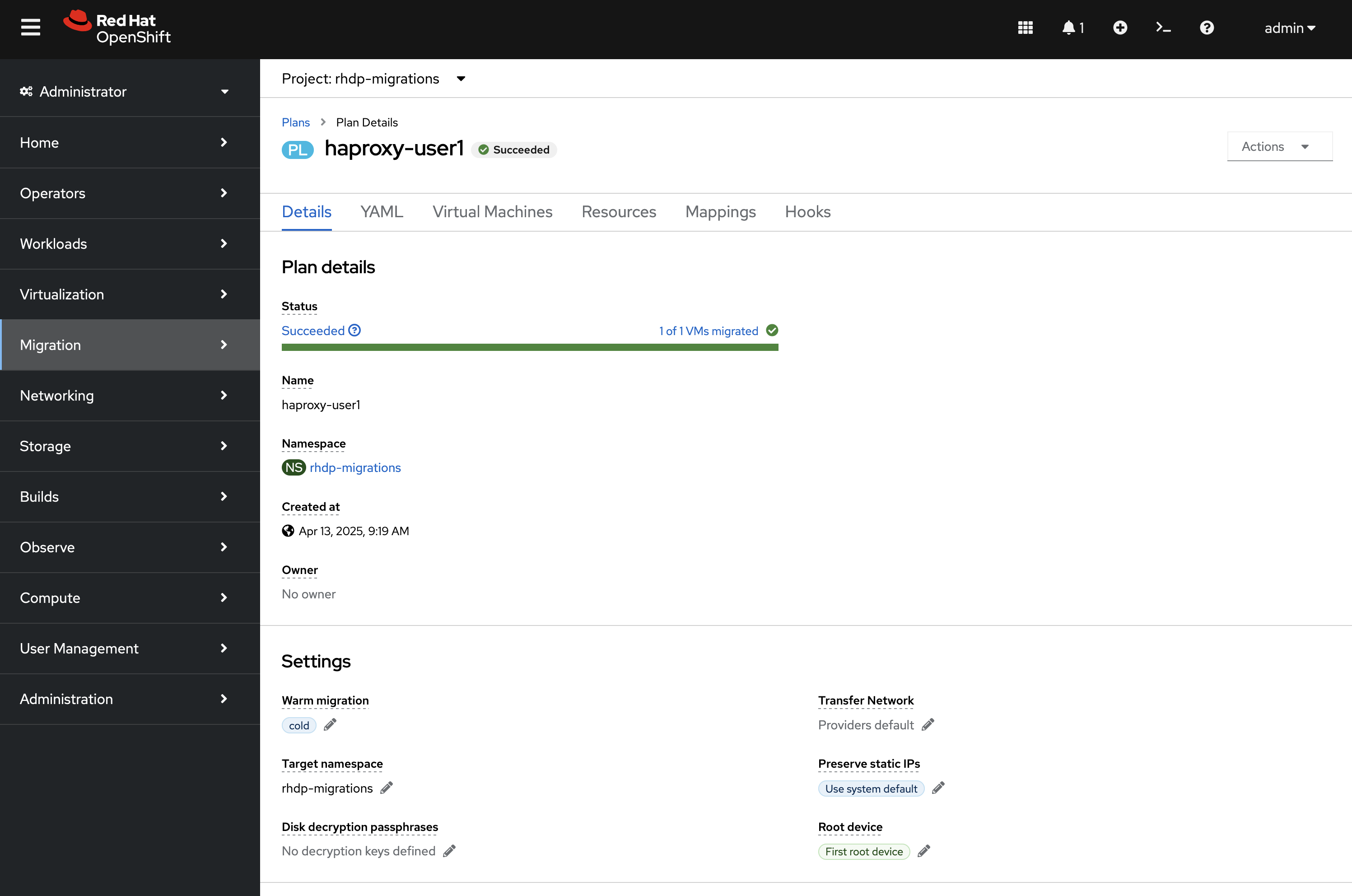
When you are done, the plan status is Running, then Succeeded. Creating a plan does not start it.
Ansible does not start migrations. The seeded AAP template OpenShift Virtualization Migration - Migrate (playbooks/vmf_migrate.yml) prints source_name and target_name and exits. Do not launch that template expecting disks to move.
Start each Ready plan in the OpenShift web console (MTV). That is the path that creates the Migration resources and runs the wave.
Prerequisites
-
Plans for this wave exist and show Ready (Defining a migration wave).
-
You can open the destination cluster in the OpenShift web console with permission to use MTV (Migration menu).
If a plan is not Ready, go back to the wave page. Do not start it.
Start the plan in the console
-
In the OpenShift web console: Migration → Plans for virtualization.
-
Select the project where the plans were created (
openshift-mtvunless you setmigration_namespaceon the wave). -
Confirm the plan status is Ready.
-
Click Start beside the plan, then Start in the confirmation window.
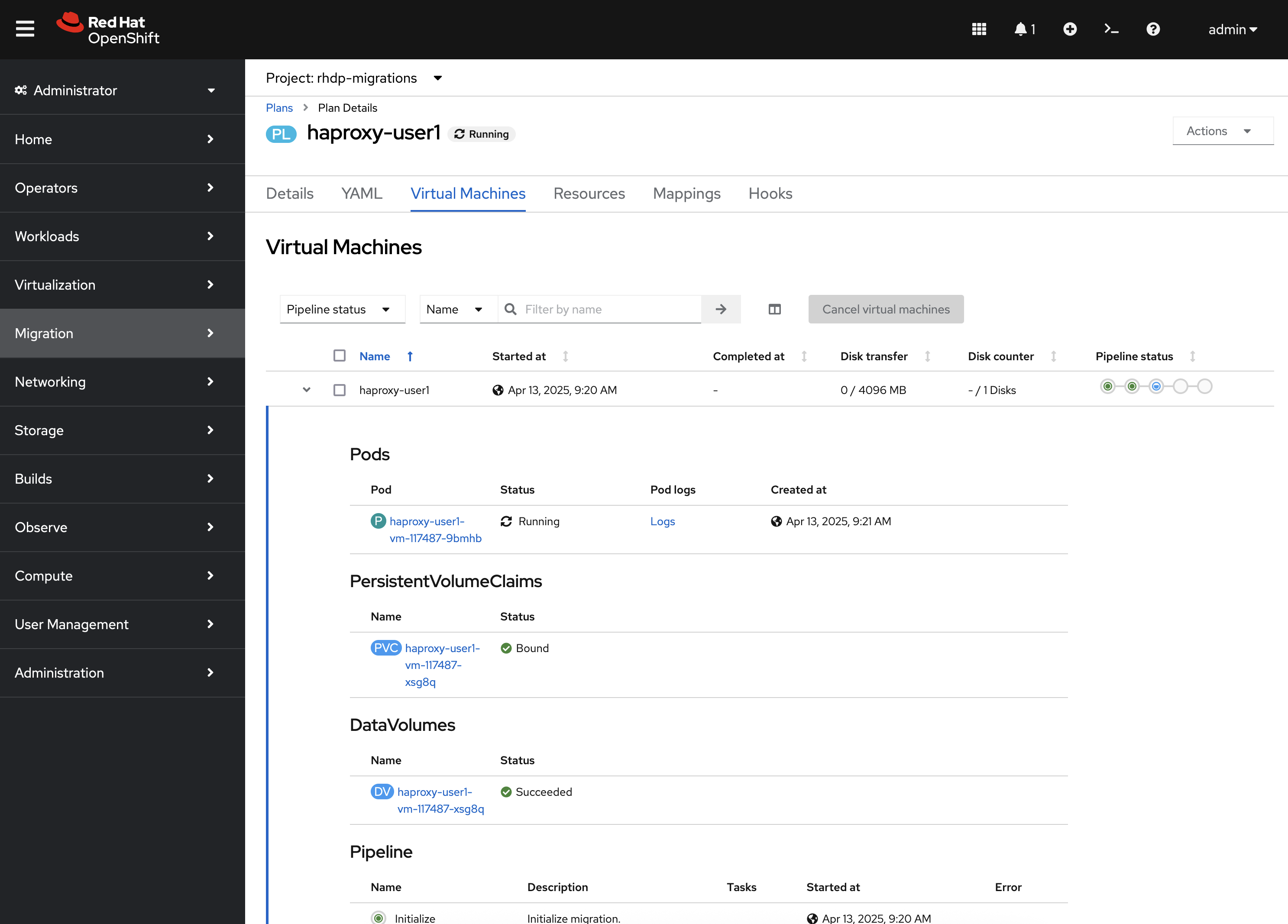
The plan status becomes Running. Open the plan and use the Virtual Machines tab for disk transfer and pipeline status.
|
If the project does not appear, select Show default projects so names that start with |
If you used split_plans, start each Plan CR in the wave. They are independent.
Warm plans
type: warm on the wave means Start begins precopy while the source VM stays up. Cutover is a later action: on Plans for virtualization, open the plan’s options menu and choose Cutover when you are ready to switch. Cold plans (type: cold, the default) finish in the same run as Start.
MTV console details: Migration Toolkit for Virtualization documentation.
The AAP Migrate template
After seed, AAP still has OpenShift Virtualization Migration - Migrate. Launching it succeeds and logs the survey values. It does not create a Migration CR, does not call mtv_plans, and does not wait for VMs.
Use that template only to confirm seed created it. Use the console steps above to run the wave.
If the run does not start
-
Plan not Ready — maps, providers, or VM names; fix on Defining a migration wave.
-
Start missing or disabled — the plan is already running, archived, or not Ready.
-
AAP Migrate job is green but nothing moves — expected; start the plan in the console.
-
Warm plan stays in precopy — Start did its job; use Cutover when you intend to switch.