Defining a migration wave
Choose which VMs (or source folders) move together, attach the maps you already created, and let MTV create Plan custom resources. Maps must already exist (Configure storage and network maps).
When you are done, each plan shows Ready. This does not start a migration.
Run this from AAP. The template is OpenShift Virtualization Migration - MTV Plans (mtv_plans). See mtv_plans.
What a wave is
A wave is one mtv_plans_migration_request: the VMs or folders in this sitting, the maps to use, where the Plan CRs live, and where the VMs should land.
-
You must set at least
vmsorfolders(or both). -
sourceanddestinationare MTV provider names, not inventory host names. Defaults arevmwareandhost. After Configure providers,sourceis usually the RFC 1123 form of thevm_sourceshost (for examplevcenter-prod). Destination stayshostunless you changed it. -
Default map names are
<source>-<destination>(for examplevcenter-prod-host). Use the names from Create maps if you overrode them. -
split_plans: truewithvms_per_plan(default10) batches a large set into several Plan CRs so one plan does not overwhelm the source or OpenShift.
Prerequisites
-
Seed succeeded (Seeding Ansible Automation Platform).
-
Providers are valid (Configure providers).
-
StorageMaps and NetworkMaps for this pair are Ready (Configure storage and network maps).
-
Inventory matches the collection layout: source hosts in
vm_sources, OpenShift hosts inmigration_clusters. See the inventory sample.
Required extra var:
-
mtv_plans_migration_request— dict with at least one ofvmsorfolders.
The playbook targets the migration_clusters group. If that group has more than one host, limit the AAP job to the destination cluster. OpenShift API access comes from the AAP OpenShift credential (K8S_AUTH_*).
After seed, the AAP survey still asks for source_name and target_name (inventory host names). Those values do not fill the request dict. Put provider names, maps, and the VM list in mtv_plans_migration_request.
Build the request
Namespaces:
-
mtv_namespace— where MTV is installed (defaultopenshift-mtv). Provider CRs usually live here. -
migration_namespace— where Plan CRs are created (defaults tomtv_namespace). -
target_namespace— where migrated VMs are created (defaults tomtv_namespace). -
source_namespace/destination_namespace— where the provider CRs live (defaultmtv_namespace). -
network_map_namespace/storage_map_namespace— where the maps live (must match Create maps).
mtv_plans_migration_request:
  source: vcenter-prod
  source_namespace: openshift-mtv
  destination: host
  destination_namespace: openshift-mtv
  target_namespace: rhdp-migrations
  network_map: vcenter-prod-host
  network_map_namespace: rhdp-migrations
  storage_map: vcenter-prod-host
  storage_map_namespace: rhdp-migrations
  verify_plans_ready: true
  plan_name: wave-app-tier
  vms:
    - name: db-server-01
    - name: app-server-02
If you omit plan_name, the role names the plan <source>-<destination>-yyyyMMdd-HHmm.
Each VM entry can use name, id (MOID), or path (VMware path such as /<datacenter>/vm/<folder>/<name>). Set exclude: true to drop a VM from the wave. Per-VM overrides win over vm_overrides and folder overrides.
Preview without applying
Set dry_run: true. The role builds the Plan manifests, prints them, and does not create CRs on the cluster.
Folders and exclusions
folders is for VMware folders (and their subfolders). Combine with vms that have exclude: true to skip a machine in that folder.
mtv_plans_migration_request:
  source: vcenter-prod
  folders:
    - name: production-workloads
  vms:
    - name: legacy-vm-do-not-migrate
      exclude: true
If two folders share a name, set id (MOID) or path so the role picks the right one. exclude: true on a folder drops that folder and its subfolders.
Split a large wave
mtv_plans_migration_request:
  source: vcenter-prod
  split_plans: true
  vms_per_plan: 5
  folders:
    - name: datacenter-workloads
vms_per_plan must be a positive integer when split_plans is true.
Cold or warm
type is cold (default) or warm. Warm plans copy disks while the source VM stays up; cutover is still Migrating VMs. Set verify_plans_ready: true if you want the role to wait until each Plan is Ready before it returns.
plan_overrides applies at Plan level. vm_overrides applies to every VM unless a VM or folder override replaces it. Field lists: mtv_plans README.
Launch from AAP
After seed, AAP has OpenShift Virtualization Migration - MTV Plans.
-
In AAP, open Templates under Automation Execution.
-
Launch OpenShift Virtualization Migration - MTV Plans.
-
Survey: Source Name and Target Name (inventory host names).
-
Extra vars: the
mtv_plans_migration_requestfrom the examples above. Setsourceto the MTV provider name. -
If the inventory has several OpenShift hosts, limit the job to the destination host.
-
Attach the OpenShift credential for the target cluster if the template asks for credentials.
-
Launch and wait for success.
Confirm the plans
In the OpenShift web console: Migration → Plans for virtualization. Select the project where the plans were created (openshift-mtv unless you set migration_namespace). Status Ready.
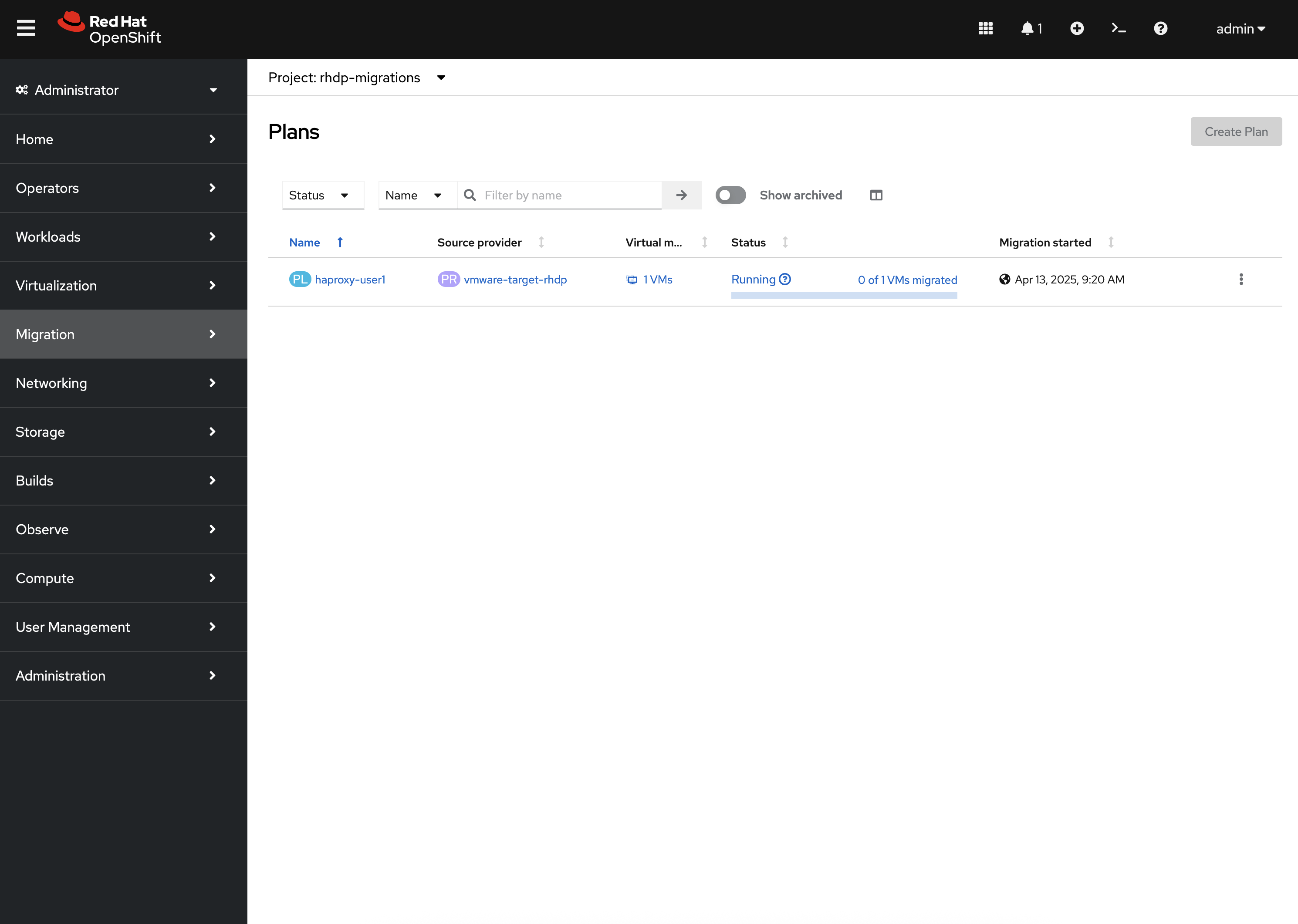
Open a plan and use the Virtual Machines tab to confirm the wave membership. Do not start the plan here.
|
If the project does not appear, select Show default projects so names that start with |
If plan creation fails
-
mtv_plans_migration_requestempty, or neithervmsnorfolders— the role asserts and stops. -
Source or destination provider missing —
source/destinationmust match the MTV provider names from Configure providers (defaultsvmware/hostonly if you never changed them). -
StorageMap or NetworkMap missing — names and namespaces must match Configure storage and network maps.
-
split_plans: truewith a non-positivevms_per_plan— set a positive integer. -
Several clusters in
migration_clustersand no limit — the playbook runs on every cluster in the group; limit to the destination host. -
dry_run: true— no CRs on the cluster; that is expected. Set it tofalse(or omit it) to apply. -
Plan never reaches Ready — maps, providers, or VM names are wrong; fix those rather than starting a migration.