Verifying a migration
Confirm the wave actually landed: the plan finished, the VirtualMachine objects exist in the target project, and you can start them. Start from a Succeeded plan (Migrating VMs).
When you are done, each VM in the wave is on OpenShift Virtualization in the namespace you set as target_namespace.
There is no verify playbook. mtv_plans verify_plans_ready only waits until a plan is Ready before you start it. It does not wait for disks to copy. Check the result in the OpenShift web console (and with oc if you prefer).
Prerequisites
-
You started the plan (Migrating VMs).
-
You know the project for Plan CRs (
migration_namespace, defaultopenshift-mtv) and the project for VMs (target_namespacefrom the wave).
If the plan is still Running, wait. If it never left Ready, it was not started.
Confirm the plan succeeded
-
In the OpenShift web console: Migration → Plans for virtualization.
-
Select the project where the plans live.
-
Open the plan. Status Succeeded, with the VM count migrated.
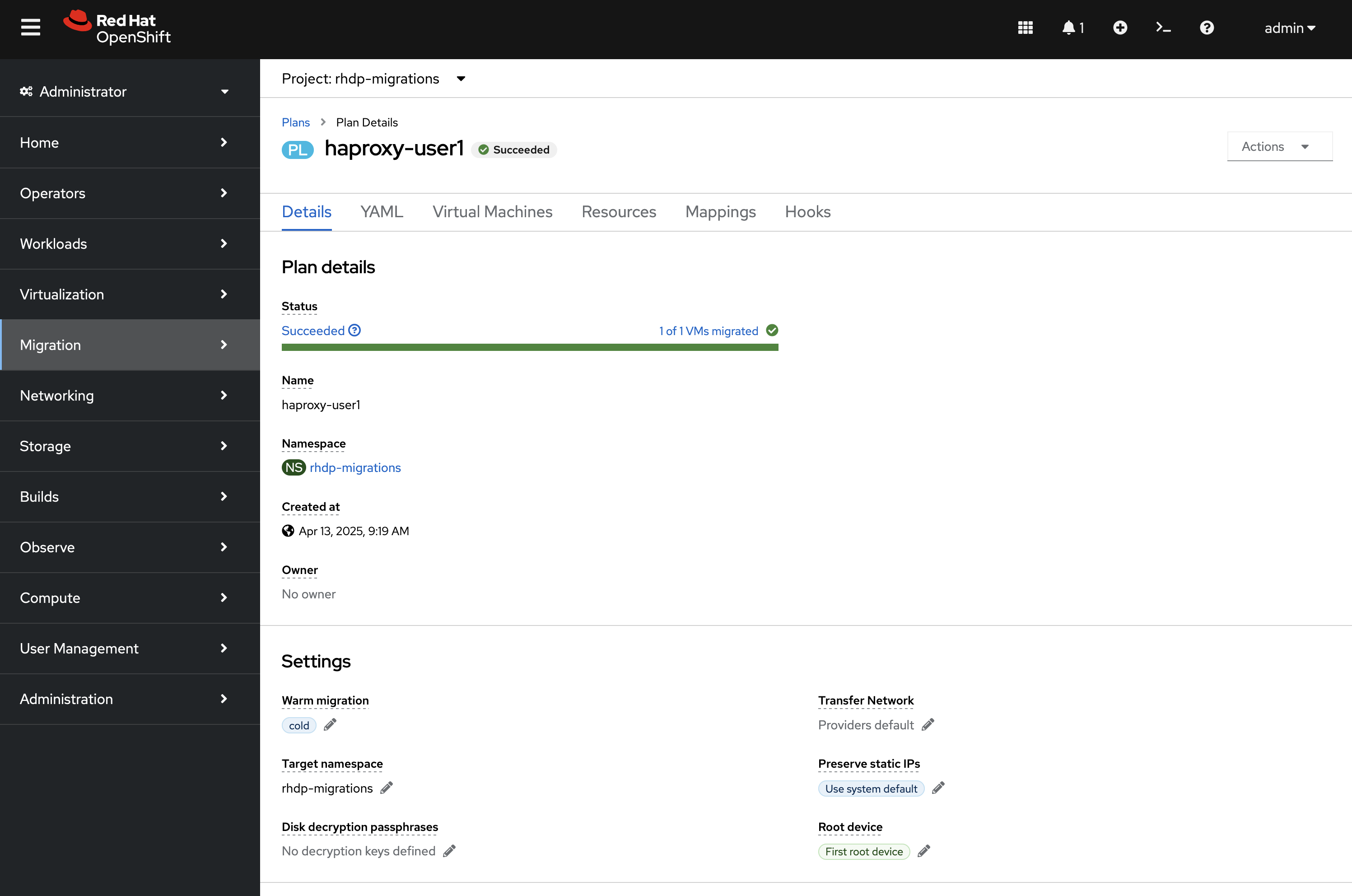
On the Virtual Machines tab, every VM in the wave should show a completed pipeline (no error on Initialize / Disk transfer / Convert). If you used split_plans, check every Plan CR.
Warm plans are not done until Cutover has run (Migrating VMs). Precopy Running is not a finished wave.
Confirm the VirtualMachines
-
On the same plan, Virtual Machines tab, expand a VM and open the VirtualMachine link.
-
Or go to Virtualization → VirtualMachines and select
target_namespace.
The VM exists in that project. MTV leaves it Stopped until you start it.
-
Open the VM.
-
Actions → Start.
-
Wait until status is Running.
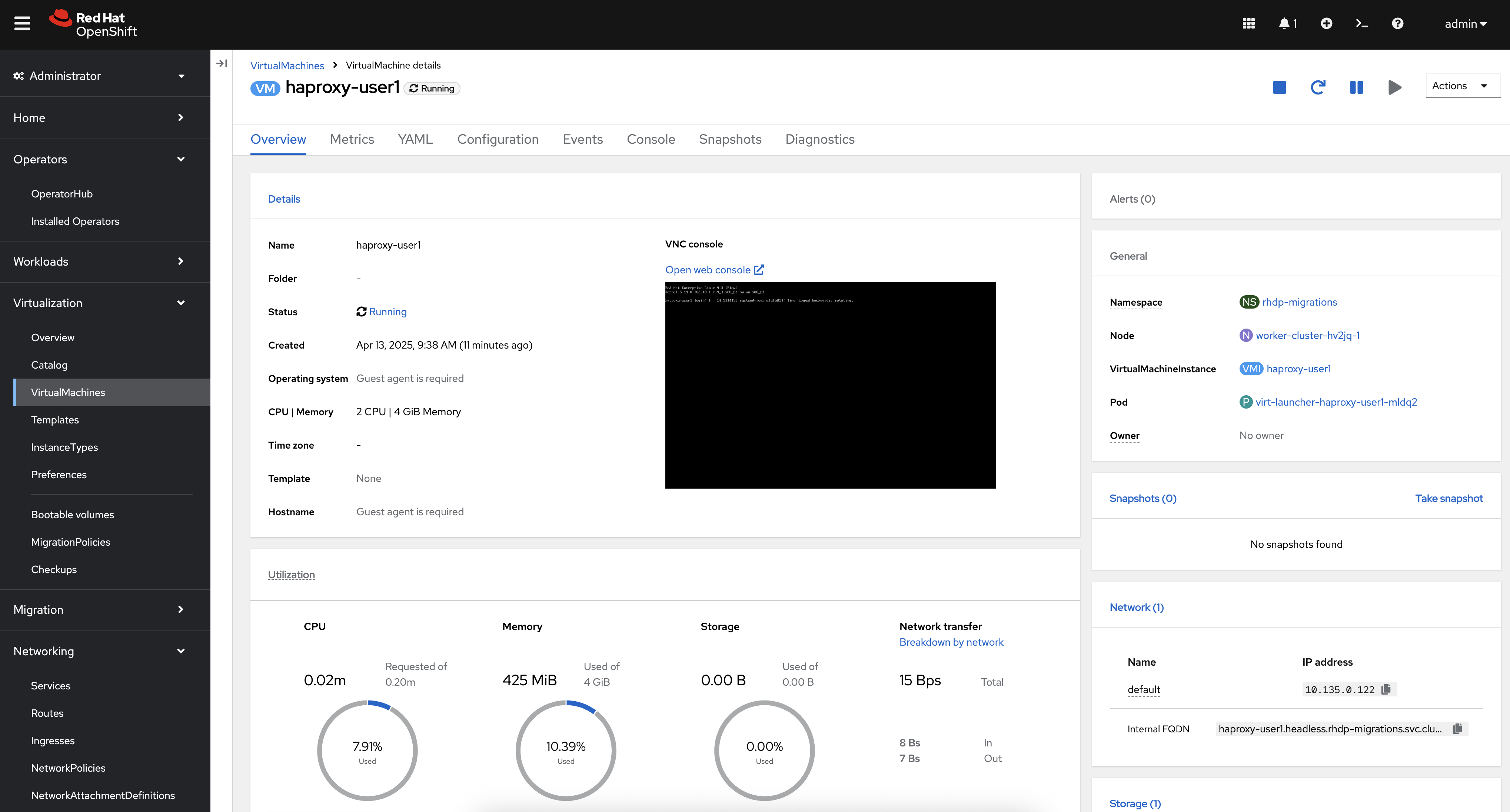
Use the console or guest login to confirm the workload. Guest agent data (hostname, IP) appears only after the agent is running in the guest; missing agent text is not a failed migration.
From the CLI, in the target project:
oc get vm -n <target-namespace>If verification fails
-
Plan Failed or a VM pipeline error — read the plan Virtual Machines tab and pod logs; do not archive yet. Maps and names are Defining a migration wave; starting is Migrating VMs.
-
Plan Succeeded but no VM in the project you opened — you are in
mtv_namespaceormigration_namespaceinstead oftarget_namespace. -
VM missing entirely — the plan did not finish or named a different target project.
-
VM Stopped after success — expected; use Start.
-
Warm plan still copying — cutover has not run.
-
Several plans from
split_plans— verify each one.